July 20, 2026 · 8 min read · 6 views
QR Code Scams Explained: How to Stay Safe from Fake QR Codes in 2026
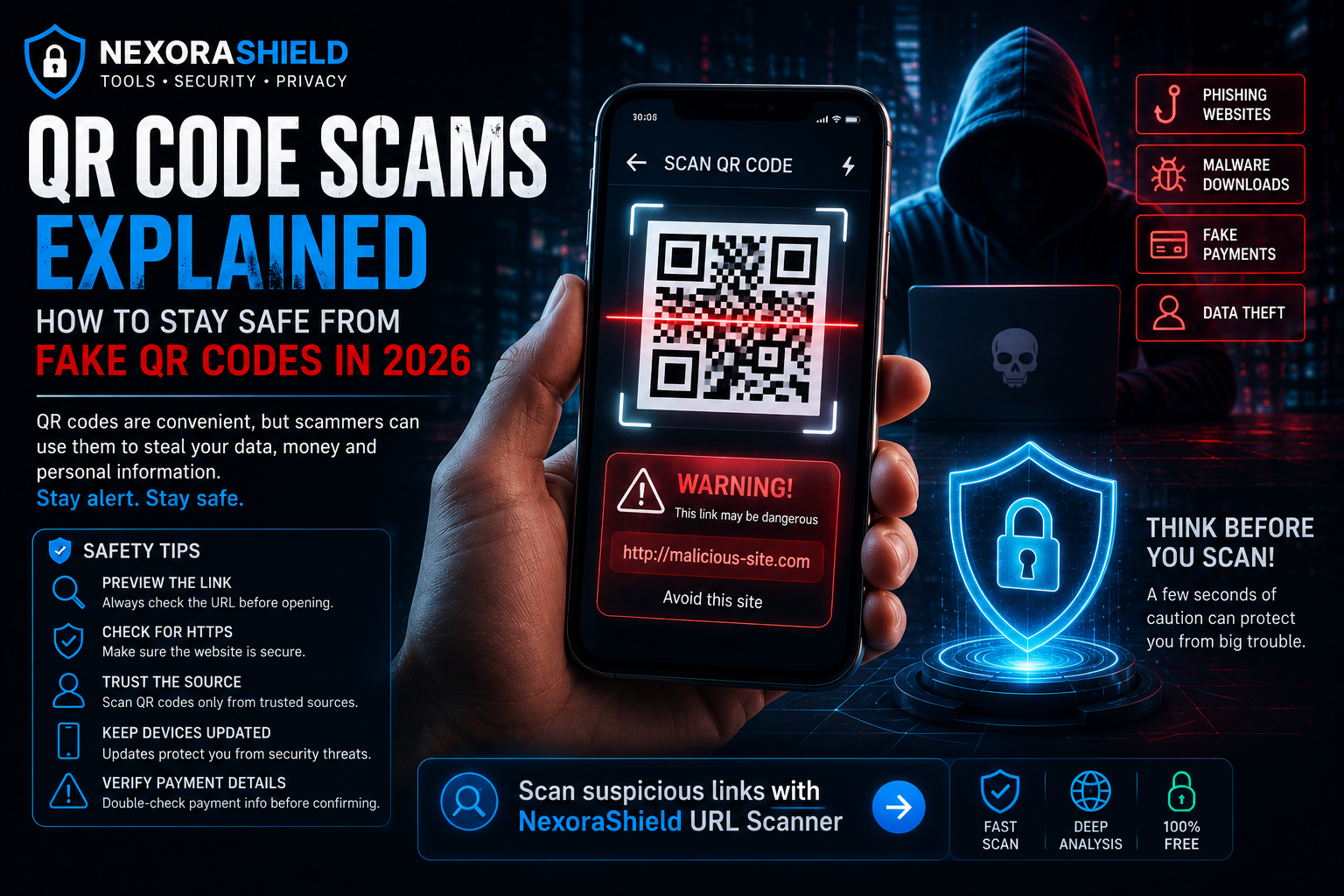
QR codes have become a part of everyday life. We use them to make payments, access restaurant menus, log in to websites, download apps, and verify accounts. Their convenience has also made them an attractive target for cybercriminals.
A single fake QR code can redirect you to a phishing website, install malware, or trick you into revealing sensitive information. As QR code usage continues to grow, understanding these scams is essential for protecting your digital identity.
In this guide, you'll learn how QR code scams work, how to recognize suspicious codes, and the best ways to stay safe.
What Is a QR Code Scam?
A QR code scam—often called Quishing (QR Phishing)—is a cyberattack where attackers replace or create QR codes that lead users to malicious websites instead of legitimate destinations.
The fake page may ask you to:
Enter your login credentials
Provide banking information
Download malicious apps
Approve fake payments
Share OTPs or verification codes
Because QR codes hide the destination URL until scanned, many users trust them without verification.
How QR Code Scams Work
A typical attack follows these steps:
The attacker creates a malicious website.
A QR code is generated for that website.
The fake QR code is placed over a legitimate one or shared through emails, posters, or social media.
The victim scans the code.
Sensitive information is stolen or malware is installed.
Common Types of QR Code Scams
Fake Payment QR Codes
Criminals replace merchant QR codes with their own, causing payments to be sent to the wrong account.
Parking Payment Scams
Fake QR codes placed on parking meters direct users to fraudulent payment pages.
Restaurant Menu Scams
A fake QR code on a restaurant table may redirect users to phishing websites instead of the official digital menu.
Delivery & Courier Scams
Fraudsters send QR codes claiming you need to verify a delivery or pay a small shipping fee.
Crypto Wallet Scams
Attackers use QR codes to replace legitimate cryptocurrency wallet addresses, causing funds to be transferred to the attacker.
Warning Signs of a Fake QR Code
Be cautious if:
A sticker has been placed over another QR code.
The QR code appears damaged or poorly printed.
The website URL looks unusual after scanning.
You're asked to provide sensitive information immediately.
The page requests OTPs or banking credentials.
How to Protect Yourself
Preview the Link
Many smartphones allow you to preview the destination before opening it. Always verify the URL.
Check for HTTPS
Only enter sensitive information on websites that use HTTPS and belong to the official organization.
Avoid Random QR Codes
Do not scan QR codes from unknown emails, posters, or social media messages unless you trust the source.
Keep Your Device Updated
Install security updates regularly to reduce the risk of malware infections.
Verify Payment Details
Before confirming any payment, carefully check the recipient's information.
How NexoraShield Helps
NexoraShield provides free cybersecurity tools that help users analyze suspicious websites before interacting with them.
If a QR code opens an unfamiliar website, inspect the URL carefully before entering personal information or making payments.
Quick Safety Checklist
Before scanning any QR code, ask yourself:
Do I trust the source?
Does the URL look official?
Am I being asked for passwords or banking information?
Does the website use HTTPS?
Does anything feel unusual?
If you're unsure, stop and verify before continuing.
Final Thoughts
QR codes are convenient, but convenience should never replace caution. Spending a few seconds verifying a QR code before scanning it can protect your personal information, finances, and online accounts.
Stay alert, verify links carefully, and make cybersecurity a daily habit.
Frequently Asked Questions
Can QR codes contain viruses?
The QR code itself doesn't contain a virus, but it can redirect you to a malicious website or file that may compromise your device.
Are payment QR codes safe?
Yes, when provided by trusted businesses. Always verify the merchant before making a payment.
Can fake QR codes steal passwords?
Yes. If they redirect you to a fake login page, attackers can capture your username and password.
Malware Checker
Scan a URL for malware, blacklisting, and malicious redirects.